
A laser cutter should make the working day easier. It should cut the materials you sell, take the sheets you buy, and turn out parts your team can use without hours of extra finishing.
Most buyers start by comparing wattage. Start with your parts instead: what they're made of, how thick they are, how big the sheets are, and how many you cut in a day. Answer those, and the list gets short fast.
This guide walks through the questions we ask every buyer, with figures from four Ascent Lasers Pro laser cutters.
Start with last month's jobs
Before you ask for a quote, pull a few real orders. For each one, write down the material, thickness, largest part, number of sheets, and time spent cutting or waiting on an outside supplier. Include the everyday jobs and the occasional hard one. A machine that handles your everyday work well is often a better buy than one chosen around the thickest part you cut once a year.
Keep samples of the actual alloys, finishes, and protective films too. A test cut only tells you something if it's done on the material that arrives at your door.
Plan for the work ahead
Before you choose a laser cutter, add the work you expect to take on later to your list of requirements. A machine that only just fits today's jobs leaves you no room to grow.
Power is the clearest case. On the combination and dual-gantry cutters, the fiber wattage can't be upgraded in the field, so buy the power your future work will need.
Decide how much cover you need
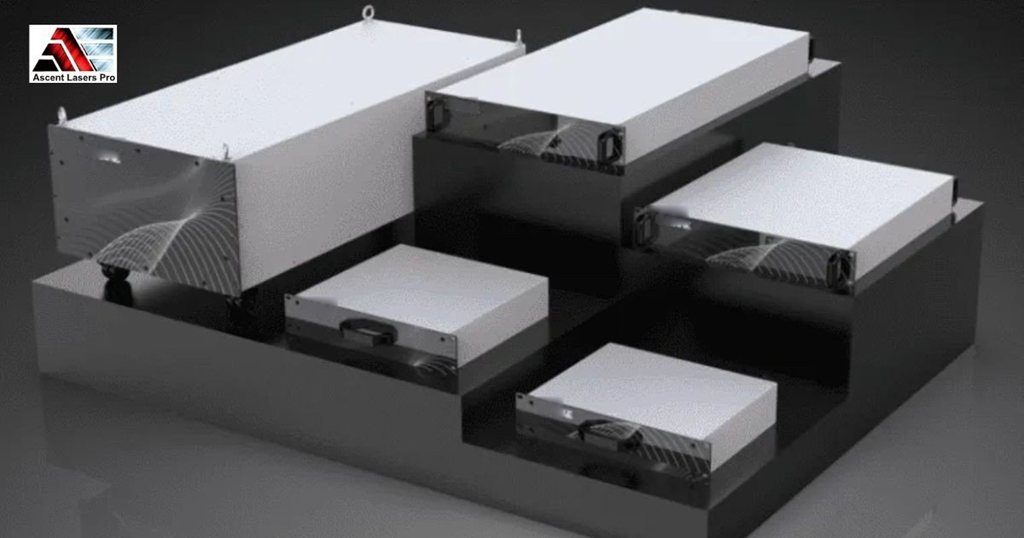
Laser cutters come with three levels of cover:
- A cover on the gantry only, the least expensive option.
- A cover over the whole machine, using sliding covers or a box cover. It sits in the middle on cost.
- A full machine cover with an extension for loading and unloading. It's available on the fiber laser cutters only.
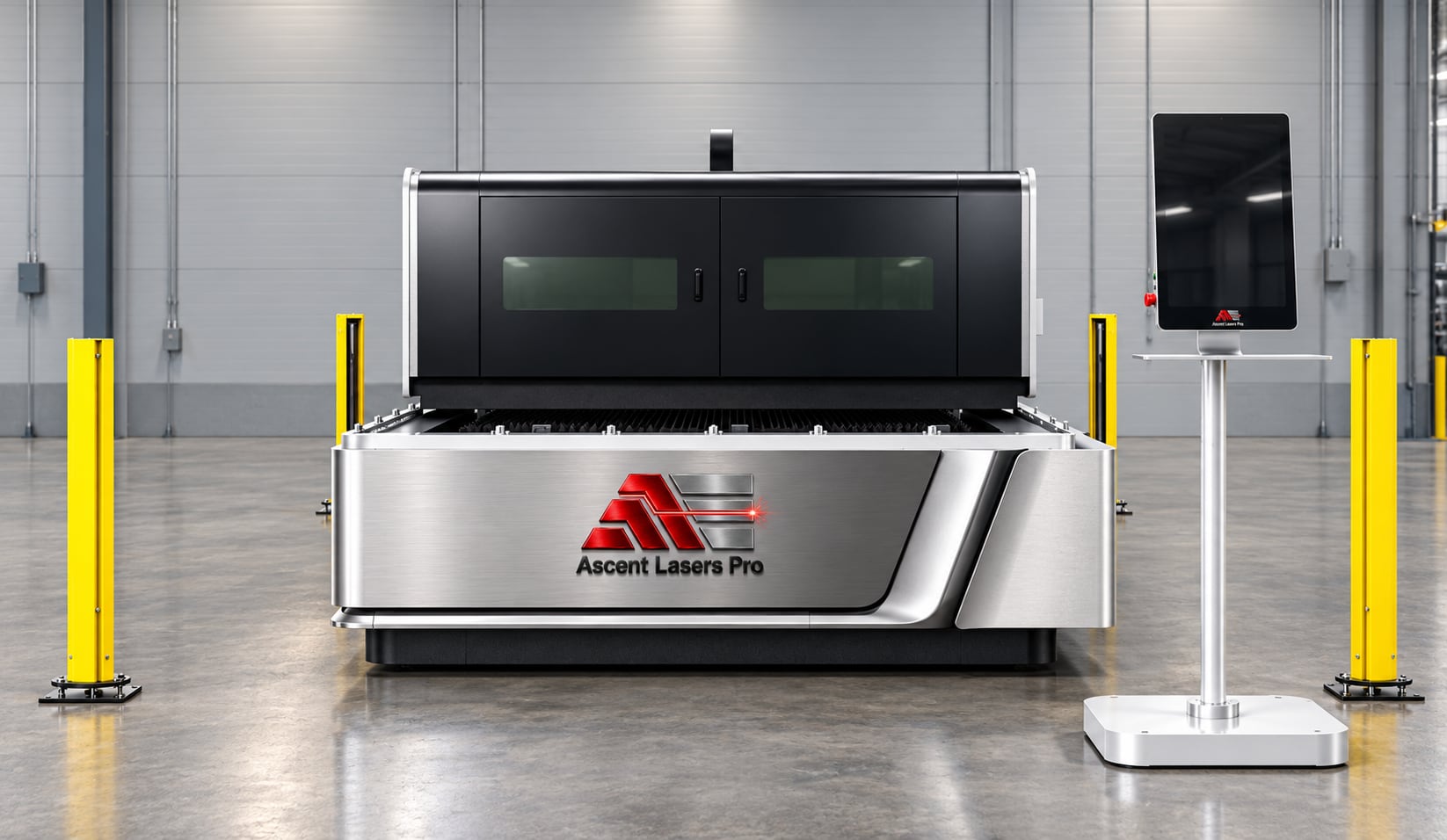
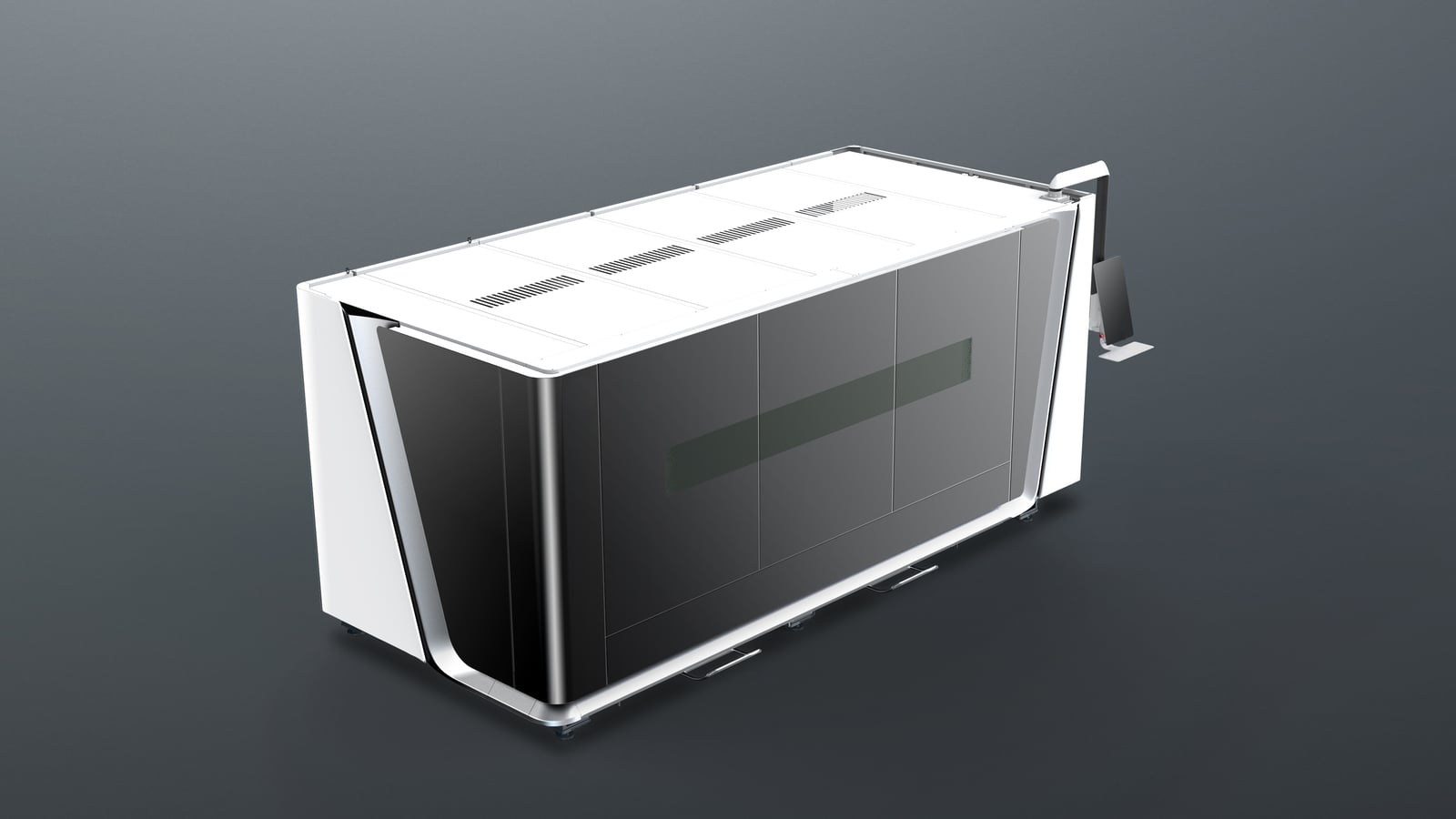
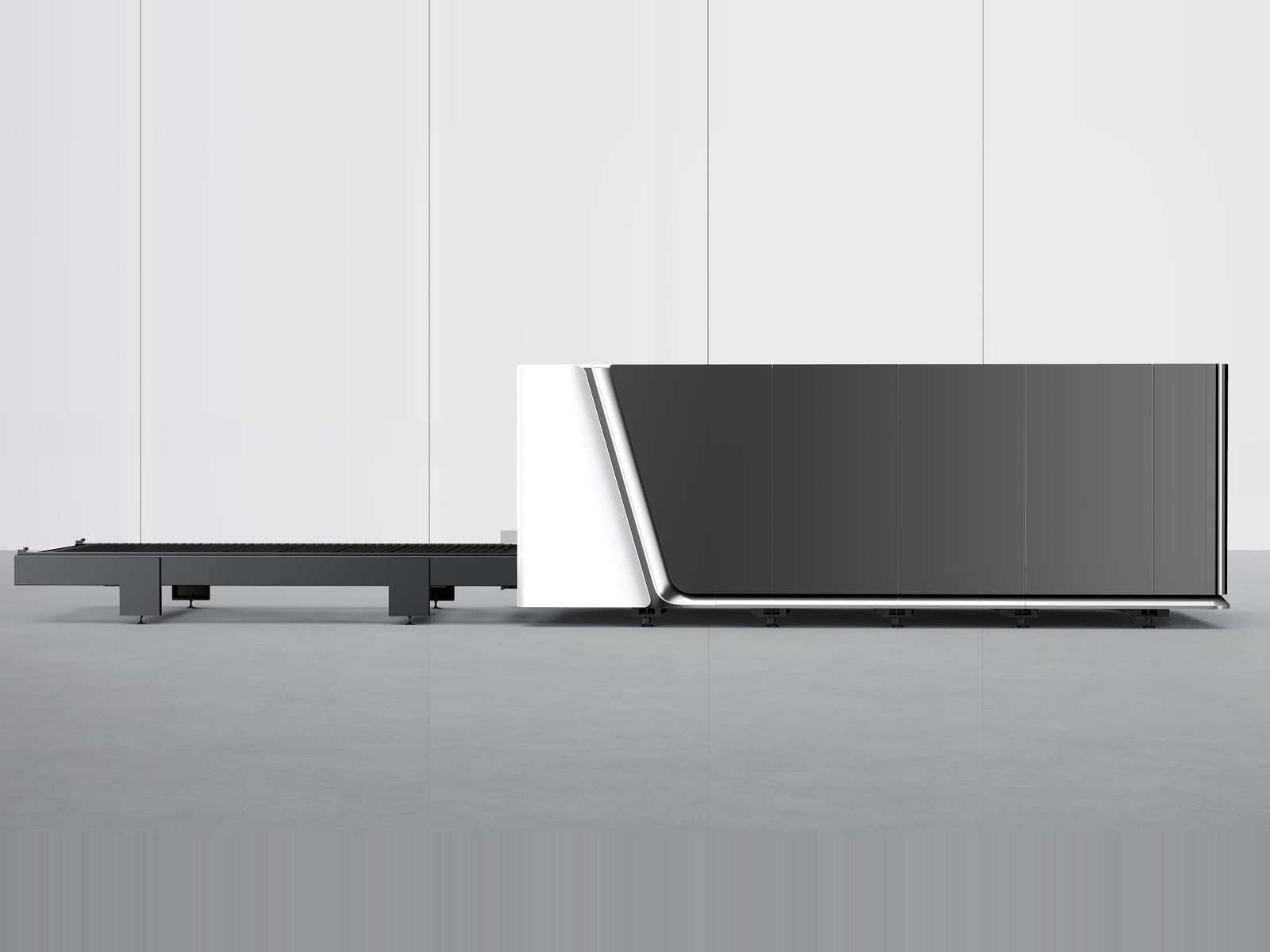
Question 6 below shows the guarding on each machine.
Four Ascent laser cutters at a glance
| Machine | Laser | Bed | Made for |
|---|---|---|---|
| Fiber laser cutters, A-A, A-C, and A-I Series | 3 kW or 6 kW fiber | 5 ft x 10 ft | Metal only |
| CO2 laser cutter | 300W, 500W, or 600W CO2 | 5 ft x 10 ft | Nonmetals only, such as acrylic, wood, MDF, foam, and leather |
| Combination CO2 and fiber cutter | 150W CO2 and 2000W fiber over one bed | 4 ft x 8 ft | Metal and nonmetals, one job at a time |
| Dual gantry CO2 and fiber cutter | 300W, 500W, or 600W CO2 and 3000W or 6000W fiber, each on its own gantry | 5 ft x 10 ft or 6 ft x 12 ft | Metal and nonmetals at the same time |
The CO2 laser cutter is the CO2-only version of our 5 ft x 10 ft gantry machine, with the same 300W, 500W, or 600W CO2 laser as the dual gantry. Its figures are on the dual gantry page.
1. Do you cut metal, nonmetals, or both?
This question splits the field in two. A fiber laser cuts metal: carbon steel, stainless steel, aluminum, brass, and copper. A CO2 laser cuts nonmetals such as acrylic, wood, MDF, plywood, foam, and leather. Here is how the two compare:
| Job | CO2 laser | Fiber laser |
|---|---|---|
| Cutting acrylic | Excellent | Not recommended |
| Wood and MDF | Excellent | No |
| Engraving | Excellent | Good on metal |
| Stainless steel | Limited | Excellent |
| Cutting aluminum | Limited | Excellent |
If acrylic, wood, and other nonmetals keep you busy, start with CO2. A well-tuned CO2 process can leave a clean edge on acrylic and cut down on finishing, but test it on your own sheet if the cut edge will show on the finished part. If metal brings in most of your revenue, start with a fiber laser cutter. For more detail by material, read CO2 or fiber laser cutter?
If you cut both every week, there are two ways to keep the work in-house on one machine. The combination cutter puts a 150W CO2 laser and a 2000W fiber laser over one 4 ft x 8 ft bed, and metal and nonmetal jobs run in the same workflow. The dual-gantry cutter gives each laser its own gantry, so one operator can cut different materials at the same time.
What decides between them is how often the two kinds of work need the machine at once. If metal runs all day and nonmetal jobs keep interrupting it, the dual gantry pays for its second gantry. If the nonmetal work is occasional, a combination cutter, or a fiber cutter on its own, may be enough. Either way, compare the two-laser machine with running two separate ones: staffing, floor space, loading access, scheduling, and what happens to production during maintenance.
At a combination cutter demonstration, ask to see the switch between materials and the full sequence for one of your mixed jobs. On a dual gantry, ask to see the usable cutting area, where each material sits, and how loading works while both gantries are cutting.
2. How thick is your material?
Thickness decides the power. Go by what you cut every week, not the thickest part you made once. For the fiber laser cutters, Ascent lists these reference figures for stable cutting:
| Laser source | Carbon steel with oxygen | Stainless steel with nitrogen | Aluminum with nitrogen |
|---|---|---|---|
| 3 kW | 16 mm (0.63 in) | 12 mm (0.47 in) | 8 mm (0.31 in) |
| 6 kW | 25 mm (0.98 in) | 20 mm (0.79 in) | 16 mm (0.63 in) |
The aluminum figures are the thickest stable cuts in the A-A Series cutting table. That table lists the same thicknesses for cutting with compressed air from the optional air compressor. With nitrogen and a 6 kW source, it also lists 18 mm (0.71 in) and 20 mm (0.79 in) aluminum at the processing limit, where quality drops and the machine can't cut continuously.
The dual gantry's fiber side comes in the same two powers. Its 6000W cutting tables go up to 25 mm (0.98 in) carbon steel, 20 mm (0.79 in) stainless steel, and 16 mm (0.63 in) aluminum. The 6000W source was added to that machine to cut thicker aluminum. At 3000W, its aluminum table runs to 8 mm (0.31 in), with reduced quality from 6 mm (0.24 in) up. The 2000W fiber laser on the combination cutter goes up to 6 mm (0.24 in) aluminum, 5 mm (0.20 in) brass, and 3 mm (0.12 in) copper in its cutting table.
On the CO2 side, the CO2 laser cutter and the dual gantry use the same tubes. These are the thickest cuts listed for each material:
| Material | 300W or 500W CO2 | 600W CO2 |
|---|---|---|
| Acrylic | 25 mm (0.98 in) | 30 mm (1.18 in) |
| Wood board | 25 mm (0.98 in) | 35 mm (1.38 in) |
| Plywood | 20 mm (0.79 in) | 30 mm (1.18 in) |
| MDF | 15 mm (0.59 in) | 20 mm (0.79 in) |
| Foam | 30 mm (1.18 in) | 50 mm (1.97 in) |
| Leather | 8 mm (0.31 in) | 10 mm (0.39 in) |
A maximum isn't a production thickness. The 150W CO2 laser on the combination cutter shows why: its best speed in acrylic is 35 mm/s (83 in/min) at 3 mm (0.12 in), and 0.8 mm/s (1.9 in/min) at 25 mm (0.98 in). Cutting through thick material and cutting it profitably are different questions. Close to the limit, the cut slows down and the edge gets rougher.
More watts help with thicker material and faster cutting, but the extra money should solve a problem you can name. Ask for the same drawing, material, thickness, and finish to be compared at each power you're considering. If the bigger source saves only a little time on your usual jobs, the money may do more somewhere else in the shop. If cutting holds up welding and assembly every day, faster cutting may be worth far more than the power bill suggests. Base that call on measured cycle times.
3. How big are your sheets?
Match the bed to the sheets your suppliers stock and to the biggest part you'll cut.
- The fiber laser cutters take a full 5 ft x 10 ft sheet, 3048 x 1524 mm (120 x 60 in). The A-I Series also comes in two smaller sizes, 2000 x 1000 mm (6.6 x 3.3 ft) and 1000 x 1500 mm (3.3 x 4.9 ft).
- The CO2 laser cutter is a 5 ft x 10 ft machine.
- The dual-gantry cutter comes in 5 ft x 10 ft or 6 ft x 12 ft.
- The combination cutter has a 4 ft x 8 ft bed, with a processing range of 2500 x 1300 mm (98.4 x 51.2 in).
A bigger bed takes more floor space. A 6 ft x 12 ft bed is worth the extra space when you cut large panels regularly, or when nesting more parts on each sheet would cut your waste. Check your largest part against the machine's actual cutting range as well as its nominal size.
4. How many parts do you cut, and how do sheets get onto the bed?
For a few sheets a day, a single bed is fine. For steady production, the minutes spent loading start to add up.
- The fiber A-A Series has a single platform. It's the entry-level machine, for a low first investment.
- The A-C Series is fully enclosed and adds an exchange table: the next sheet goes on outside the enclosure while the machine cuts. It's also the fastest of the three, at 180 m/min (about 590 ft/min).
- A sheet loading module is an option on the A-A and A-C Series, for sheets from 1 to 8 mm (0.04 to 0.31 in) thick and up to 300 kg (661 lb). Our sheet loading guide compares the options.
- The combination cutter has one platform, without an exchange table, rated for 300 kg (661 lb).
- On the dual-gantry cutter, each gantry has its own control program and screen, so one operator can keep both lasers cutting different materials at the same time.
Ask to see a full job run on the machine. Small features, tight corners, piercing, and unloading all add to the time per sheet, and watching a finished nest come off the machine tells you far more than a speed figure.
5. How much floor space and power do you have?
Measure before you fall for a machine. These footprints are listed on the product pages:
- The A-A Series measures 4749 x 2886 mm (15.6 x 9.5 ft).
- The A-C Series measures 9392 x 2232 mm (30.8 x 7.3 ft). The exchange table makes it longer.
- The combination cutter measures 4200 x 2700 mm (13.8 x 8.9 ft).
- For the A-I Series, the CO2 laser cutter, and the dual gantry, ask us for the floor plan, and we'll check it against your shop. The A-I Series is built for shops short on floor space.
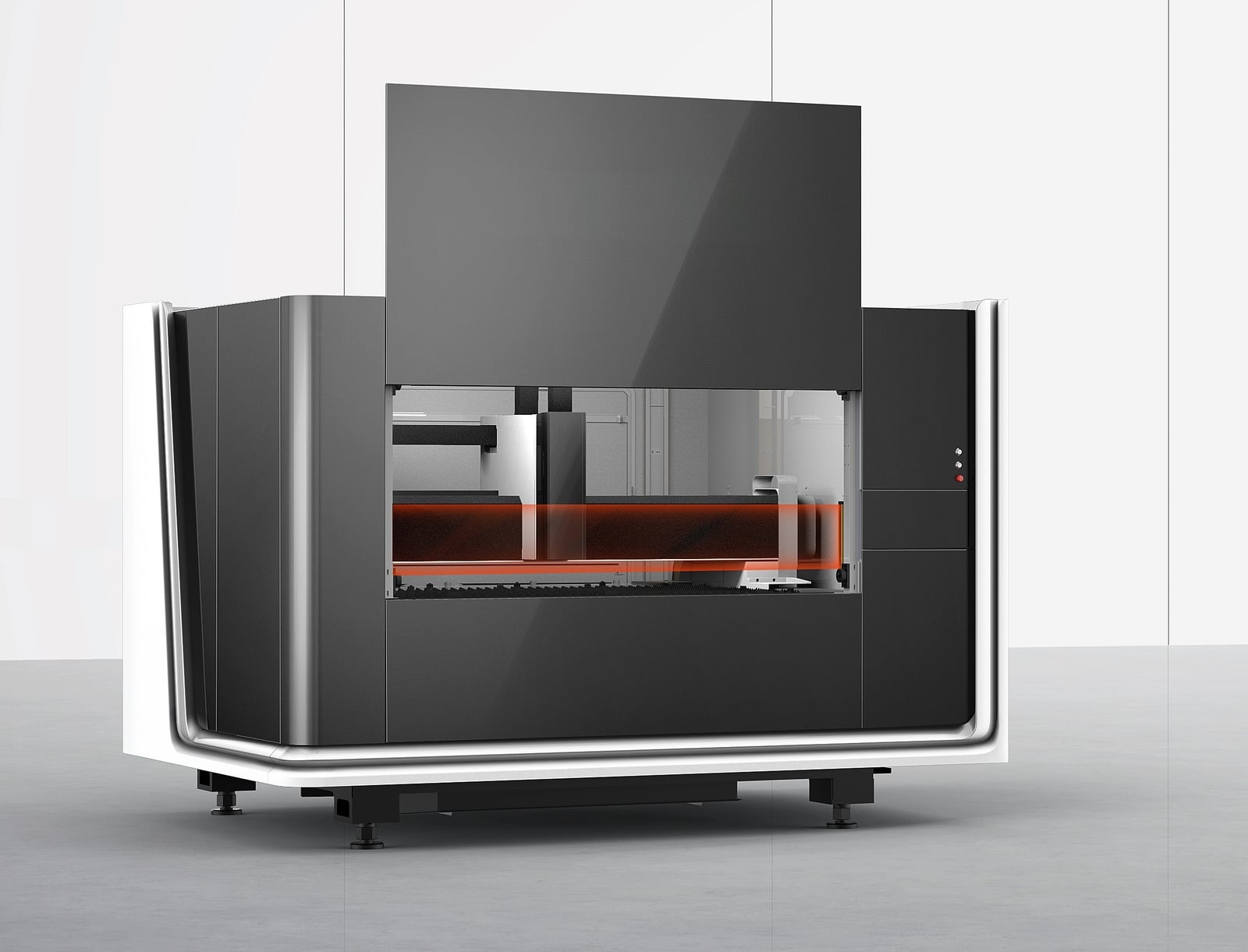
Then draw the whole installation on your floor plan: the machine, open doors, exchange table travel, chiller, compressor, fume extraction, service access, and room to turn a full sheet. The A-A layout calls for at least 1 m (39 in) between the machine and anything nearby, and a floor that's flat to within 5 mm (0.2 in). Check the delivery route too. A cutter that fits the shop still has to get through the door.
Power matters as much as space:
- The fiber laser cutters draw 16.6 kW to 39 kW in total, depending on the series and the laser source. Confirm the voltage and phase for your exact machine.
- The combination cutter runs on 380V three-phase.
- The dual-gantry cutter needs 380V three-phase plus 220V single-phase, both at 60 Hz.
- For the CO2 laser cutter, ask us for the electrical supply of the configuration you choose.
US plants usually have 208V or 480V three-phase, and Canadian plants 600V, so the 380V machines run through a UL/CSA-certified transformer that Ascent can supply. Whatever you choose, have an electrician check your shop's service before delivery.
6. How will you handle safety and fumes?
Each of these machines has a Class 4 laser inside, so plan the guarding and the air before the machine arrives.
Start with guarding. The A-C and A-I Series are fully enclosed, with door-open protection. The A-A Series has a gantry cover with OD 6+ protection glass, and safety light curtains that stop the machine when someone steps into the cutting area. The CO2 laser cutter and the dual gantry can be ordered with a rigid cover, sliding covers, or covers around each gantry. Without a cover, they go behind laser partitions from Ascent. On the dual gantry, an invisible infrared safety curtain around the machine is standard. The combination cutter has enclosed laser protection.
Ask for the laser classification and the safety documents for the exact configuration in your quote. A cover's appearance doesn't tell you its protection level. For an open or partly enclosed setup, have a qualified person, such as a laser safety officer, check it.
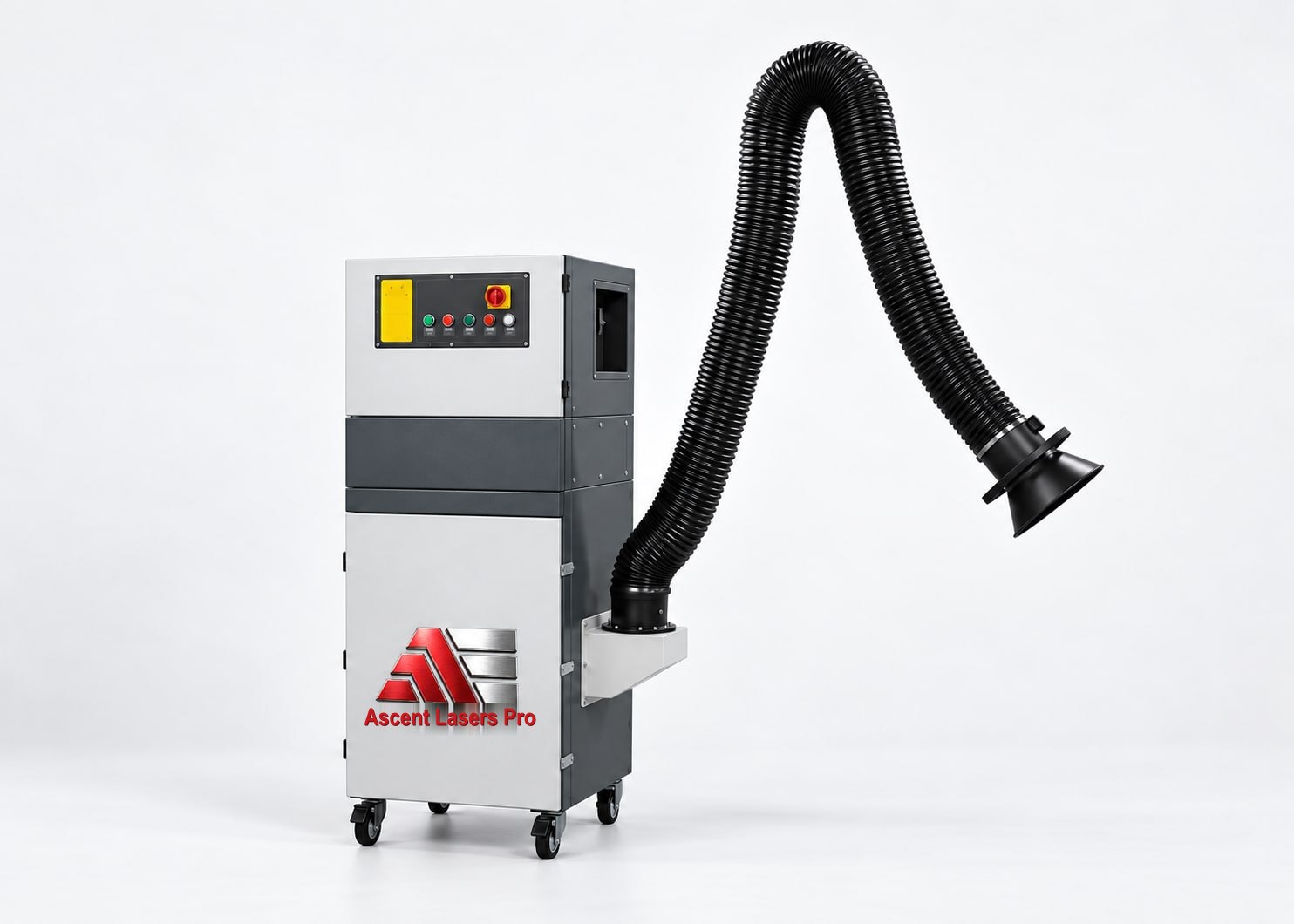
Then the air. Vent the fumes outdoors or pass them through a suitable filter, and budget for it. On the dual gantry, fume collection is standard: one collector for the smell and fumes of the CO2 laser, and one for the debris of the fiber laser. Ascent has also designed a multi-stage fume extractor that handles both the CO2 fumes and the fiber metal debris, shown below. The combination cutter has an exhaust fan, with collectors as options. The A-A Series extracts fumes and dust zone by zone, where it's cutting, and offers a fume filter as an option. Ask how fumes are captured at the cutting zone, what ductwork you need, and where the air goes.
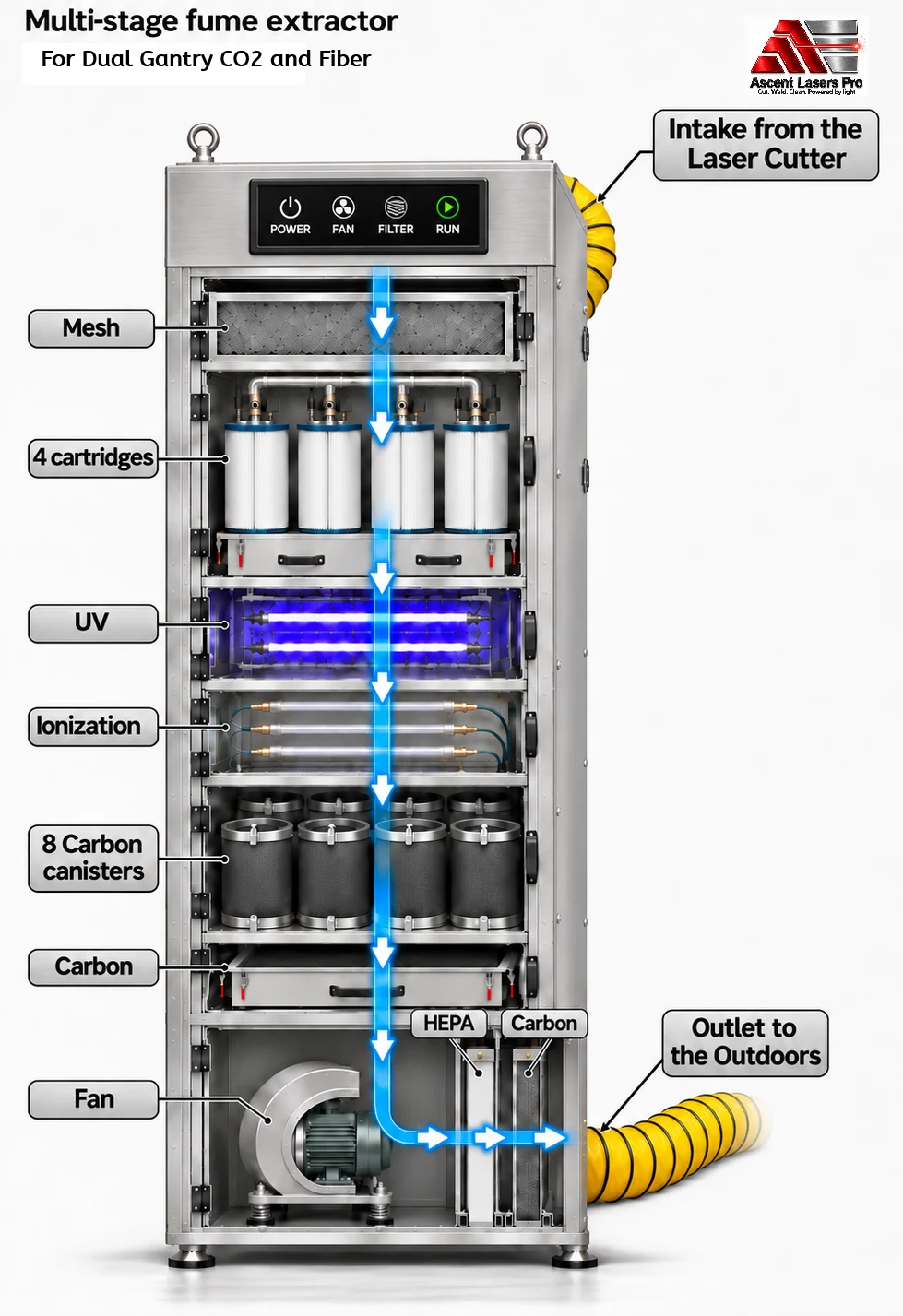
Last, eyewear. One pair of OD 8 laser safety goggles comes with every Ascent laser cutter. Anyone near the machine needs eyewear rated for the laser's wavelength. Minimum OD 5; prefer OD 7 or 8.
Our laser safety page covers the rules and the paperwork in more detail.
7. What will it cost to own?
Put competing quotes on the same footing. Count delivery, rigging, electrical work, any transformer, cooling, assist gas or compressed air, fume extraction, consumables, software, training, and planned maintenance. Get the list of what's included in writing.
At Ascent, shipping, on-site installation, and operator training are included in the price of every machine. Software updates are free. Remote diagnostics and support last for the life of the machine, and remote desktop software comes pre-installed on our laser cutters. Our technicians are in Buffalo, Toronto, and Kentucky.
Warranties differ by machine:
| Machine | Warranty |
|---|---|
| Fiber laser cutters (A-A, A-C, A-I) | 5 years on the laser head, laser source, and control system; 3 years on the entire system |
| Dual gantry CO2 and fiber cutter | 2 years on the fiber laser source and all other non-consumable components; 1 year on the CO2 laser source |
| Combination CO2 and fiber cutter | 2 years on the fiber laser source; 1 year on the CO2 laser tube; 1 year on workmanship and non-consumable parts |
| CO2 laser cutter | 1 year on the CO2 laser source |
Each machine's warranty agreement sets out the full terms.
Running costs count too. The fiber cutter page lists average power use per hour: 10.4 kWh for the A-A Series and 20.3 kWh for the A-C Series with a 3 kW source, and 15.7 kWh and 25.6 kWh with a 6 kW source. Add assist gas or compressed air, consumables such as nozzles and protection lenses, and the hours your people spend loading and finishing parts.
Then set the monthly cost of owning the machine against the work you can realistically bring in-house: the outside cutting charges you stop paying and the extra capacity you can actually sell. Count freed-up staff time as capacity, unless it really cuts payroll or overtime. If you'd rather spread the cost out, see our financing page.
Count the steps after the cut
A laser rarely works alone. If a part needs machining, welding, or assembly after it's cut, count those steps when you compare machines. Saving time on the outside contour means less if the part then needs an awkward second setup.
The most useful demonstration ends with a part that's ready for the next station. Check the edge, burrs, hole quality, and fit. Have the person who will weld or assemble the part look at it too.
A quick way to match your work to a machine
| If your work looks like this | Look at |
|---|---|
| Steel, stainless, or aluminum sheet up to 5 ft x 10 ft, with a low first investment | Fiber laser cutter, A-A Series |
| Metal production runs where loading time matters | Fiber laser cutter, A-C Series |
| Full 5 ft x 10 ft metal sheets in a shop short on space | Fiber laser cutter, A-I Series |
| Acrylic, wood, MDF, foam, or leather on 5 ft x 10 ft sheets, no metal | CO2 laser cutter, 300W, 500W, or 600W |
| Thinner metal and nonmetals, one job at a time, on a 4 ft x 8 ft bed | Combination CO2 and fiber laser cutter |
| Metal and nonmetals every week, both cutting at once | Dual gantry CO2 and fiber laser cutter, 5 ft x 10 ft or 6 ft x 12 ft |
Let your own sample decide
Numbers on a page only go so far. Before you sign, send a real production file and your actual material. Ascent cuts customer samples at no charge and reports the cutting speed, so you can judge the edge and the speed before you buy. Look at both sides of the cut parts, and agree up front on the edge quality, tolerances, and production rate you need. If your parts sit near a machine's limit, this step keeps you from buying too little power or paying for more than you need.
Choose the cutter that handles your regular work well and leaves room for the growth you expect. To start, contact Ascent Lasers Pro or call 1-800-927-5107 ext. 1008 with your material list and a recent job.